Ahead with English 8
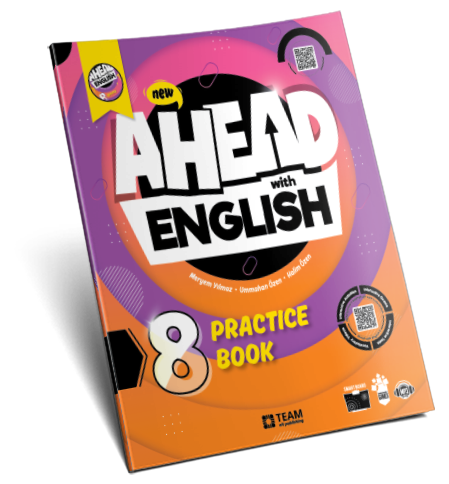
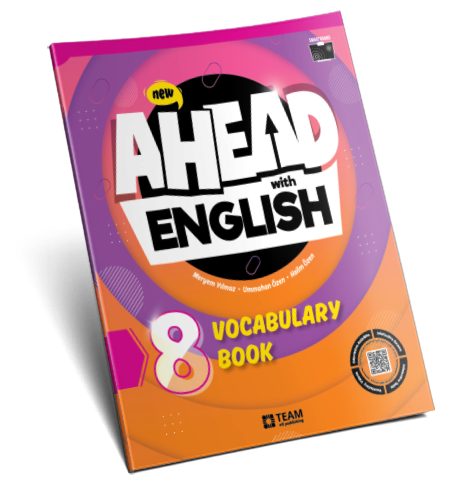
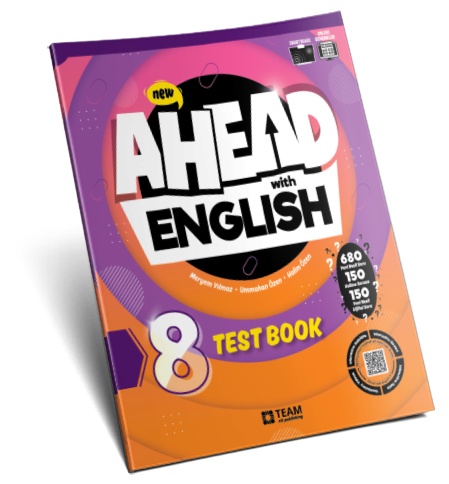
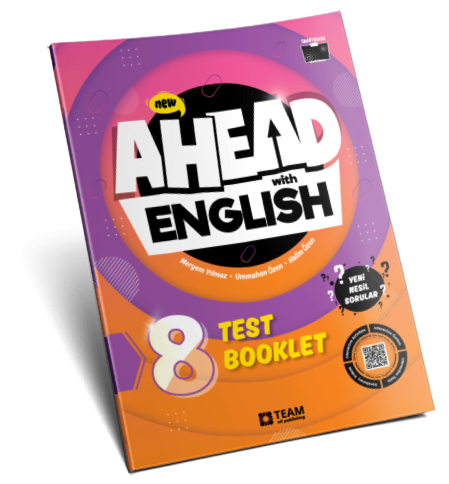
Ahead with English 8, MEB tarafından okutulacak olan İngilizce MEB ders kitaplarını tam olarak kapsamaktadır. Seri, Practice Book, Vocabulary Book, Test Book ve Test Booklet kitaplarından oluşmaktadır.
| Yazar |
Meryem Yılmaz, Ummahan Özen, Halim Özen |
| Editör |
Arzu Turkay, Elvan Şentürk |
| Kapak Tasarım |
Sinem Özen Türkiş |
| Sayfa Tasarım |
Türker Şenaltun |
| ISBN |
978-625-7579-56-8 |
Kapak
|
250g selofan kaplı kuşe |
| Sayfa |
70g 1. hamur |
| Sayfa Sayısı |
144 |
| Boyutlar |
22×27 cm |

Satın Al

Ses Dosyaları
- Practice Book – Konu Anlatımlı Alıştırma Kitabı
- MEB 8. sınıf (ortaokul 4) müfredatı ve MEB 8. sınıf İngilizce ders kitapları ile tam uyumlu
- Sınıf içinde ve bireysel çalışmaya uygun
- Renkli, bol resimli ve eğlenceli biçimde verilmiş dilbilgisi konuları
- Dilbilgisi konularını pekiştiren klasik alıştırmalar
- LGS sınav sistemine uyumlu; okuduğunu anlama, paragraf, diyalog, grafik analiz ve günlük ifade alıştırmaları ve soruları
- Her ünite sonunda 10 adet yeni nesil sorudan oluşan 1 adet test
- Beceri temelli sorular
- Dinleme ve telaffuz becerilerini geliştiren listening alıştırmaları
- Tam interaktif akıllı tahta yazılımı
- Getting Ready for LGS bölümleri ile güçlendirilmiş yeni nesil alıştırmalar
| Yazar |
Meryem Yılmaz, Ummahan Özen, Halim Özen |
| Editör |
Arzu Turkay, Elvan Şentürk |
| Kapak Tasarım |
Sinem Özen Türkiş |
| Sayfa Tasarım |
Türker Şenaltun |
| ISBN |
978-625-7579-58-2 |
Kapak
|
250g selofan kaplı kuşe |
| Sayfa |
70g 1. hamur |
| Sayfa Sayısı |
104 |
| Boyutlar |
22×27 cm |

Satın Al
- Vocabulary Book - Kelime Kitabı
- MEB 8. sınıf (ortaokul 4) müfredatı ve MEB 8. sınıf İngilizce ders kitapları ile tam uyumlu
- Sınıf içinde ve bireysel çalışmaya uygun
- LGS sınav sistemine uyumlu; boşluk doldurma, eşleştirme, diyalog soruları
- Önemli kelime ve ifadelerin pekiştirilmesi
- Klasik ve çoktan seçmeli sorulardan oluşan kelime alıştırmaları
- Ünite bazlı kelime gruplaması
- Tam interaktif akıllı tahta yazılımı
| Yazar |
Meryem Yılmaz, Ummahan Özen, Halim Özen |
| Editör |
Arzu Turkay, Elvan Şentürk |
| Kapak Tasarım |
Sinem Özen Türkiş |
| Sayfa Tasarım |
Türker Şenaltun |
| ISBN |
978-625-7579-57-5 |
Kapak
|
250g selofan kaplı kuşe |
| Sayfa |
70g 1. hamur |
| Sayfa Sayısı |
240 |
| Boyutlar |
22×27 cm |

Satın Al
- Test Book – Soru Bankası
- MEB 8. sınıf (ortaokul 4) müfredatı ve MEB 8. sınıf İngilizce ders kitapları ile tam uyumlu
- Sınıf içinde ve bireysel çalışmaya uygun
- LGS sınav sistemine uyumlu; okuduğunu anlama, paragraf, diyalog, grafik analiz, çıkarım yapma ve günlük ifade soruları
- 1-8. ünitelerde 6 adet ünite testi ve 1 adet revision testi, 9. ve 10. ünitelerde 4’er adet ünite testi ve 1-5 üniteleri kapsayan 5 adet midterm test
- Toplam 680 adet yeni nesil alıştırma sorusu, 150 adet kelime sorusu ve 150 adet yeni nesil dijital soru
- Ünite kelime ve özetleri
- Beceri temelli sorular
- Tam interaktif akıllı tahta yazılımı
Install | Sap Gui 72
If you encounter issues during installation, refer to the SAP GUI 7.2 installation guide or the SAP Support Portal for troubleshooting guides.
SAP GUI 7.2 is a significant release that offers a range of new features, improvements, and enhancements to the user interface, functionality, and performance. This version is compatible with various operating systems, including Windows, macOS, and Linux. sap gui 72 install
In this article, we provided a step-by-step guide to installing SAP GUI 7.2. By following these steps, you should be able to successfully install and configure SAP GUI 7.2 on your computer. If you encounter any issues, refer to the SAP Support Portal or contact your SAP system administrator for assistance. If you encounter issues during installation, refer to
SAP GUI (Graphical User Interface) is a crucial component of the SAP system, providing users with a intuitive and interactive way to interact with the SAP application. In this article, we will focus on the installation process of SAP GUI 7.2, one of the most widely used versions of the SAP GUI. In this article, we provided a step-by-step guide

Satın Al
- Test Booklet - Yaprak Test
- MEB 8. sınıf (ortaokul 4) müfredatı ve MEB 8. sınıf İngilizce ders kitapları ile tam uyumlu
- Sınıf içinde ve bireysel çalışmaya uygun
- LGS sınav sistemine uyumlu; okuduğunu anlama, paragraf, diyalog, grafik analiz, çıkarım yapma ve günlük ifade soruları
- Her ünitede yeni nesil sorulardan oluşmuş 2 adet test
- Beceri temelli sorular
- Tam interaktif akıllı tahta yazılımı